
6
Coaching Levels
92
Coaching Modules
9
Games Supported
0.3-1.5s
Reported Per-Lap Gain
INTRODUCTION
See It In Action
Quick overview of how Full Grip Vision works during a session.
TWO WAYS TO FIND TIME
Coached, and Engineered
Vision does the two things that actually make you faster. Pick where you want to start.
Get Coached While You Drive
A voice in your ear that knows your telemetry and tells you what to change, corner by corner, in real time. Not what happened, what to do next.
Stop Copying Forum Setups
Vision reads your telemetry and builds a setup around the way you actually drive, then writes a real, ready to load file for your game. Proven baselines for every car and track, dry and wet, refined live from your own session. Setups in seconds, not hours, across five sims.
WHY VISION
Built Around You, Not a Stranger's Lap
A downloaded setup vs your setup
A forum or marketplace setup was built for someone else's driving on someone else's lap. Vision's setup is built from your telemetry, tuned to your inputs, and updated as the track and conditions change. One is a guess. The other is yours.
- Built from your data, not a stranger's lap.
- Adjusts mid session as grip and weather change.
- Loads straight into the game, no manual number entry.
Not a spotter. A coach.
A spotter reports what happened. Vision tells you how to fix it, then lets you ask it why. "Brake five meters later into Turn 3" beats "you lost two tenths in sector two." And because the AI runs locally with your full session in context, you can press to talk and ask it a question mid stint.
SETUP OPTIMIZATION
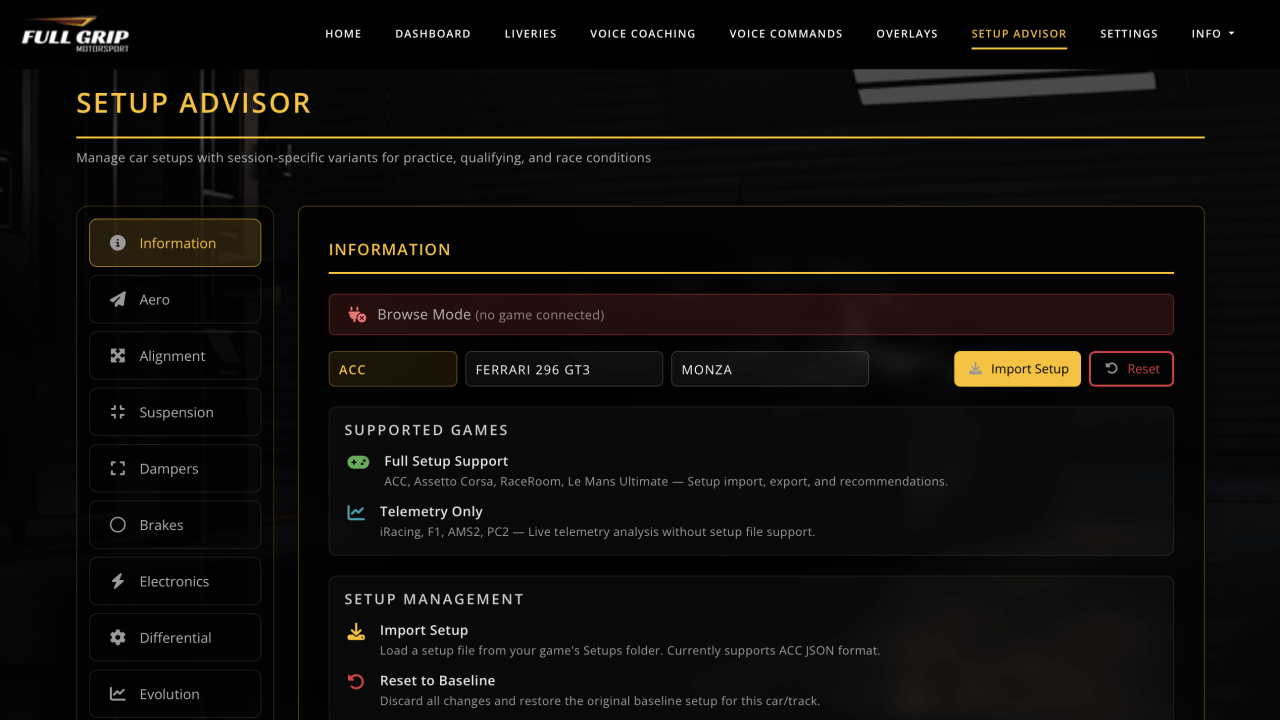
AI Setup Engineer
Proven baseline setups for every car and track, then refined in real time from your own telemetry.
Your Personal Race Engineer
Elite OnlyStop copying random setups from forums. The Setup Engineer ships with proven Full Grip baselines for every car and track. From there it reads your own telemetry live and fine tunes the car around the way you actually drive. Fast, stable, and tailored to you.
It does not just suggest numbers. Vision tunes the whole car, pressures, dampers, springs, anti roll bars, differential, ride height, camber and toe, and applies the changes live as your session runs. It also writes a complete, ready to load setup file for five sims.
Proven Full Grip Baselines
Every car and track ships with a competitive Full Grip baseline, with separate dry and wet variants.
Refined From Your Own Data
Detects 61 types of setup issue from your live telemetry and changes the car around how you actually drive.
Every Parameter Covered
Tire pressures, TC and ABS, brake bias, ride height, wing, dampers and more, all adjusted from real session data.
Fast But Driveable
Built in driveability guards and per car safety limits keep every setup stable, so you get pace without a twitchy car.
COACHING LEVELS
Six Levels That Grow With You
From beginner fundamentals to full race engineer communication.
Basic Telemetry
Foundation coaching for beginners, essential driving feedback.
Brake analysis, Sector comparison, Fuel management, Tire temperature, Lap completion
Technique Analysis
Driving technique refinement, identifies bad habits and inefficiencies.
Trail braking, Throttle application, Steering smoothness, Coasting detector, Gear selection, Lift-off oversteer, Weight transfer, Curb usage, Track limits
Corner-Specific
Corner-by-corner optimization, learned from your own best lap on any sim. No track data required.
Corner detection, Entry speed, Apex speed, Exit speed, Corner optimizer, Apex hit rate, Corner linking, Self-learned line, Predictive warnings
Vehicle Dynamics
Setup and car control optimization based on physics data.
G-Force analysis, TC/ABS overuse, Suspension bottoming, Tire balance, Tire pressure, Brake bias, Brake temps, TC recommender
Predictive AI
Advanced analysis with pattern recognition and personalized training.
Consistency, Optimal lap calc, Weakness analyzer, Training plan, Flow state, Gap tracking, Mistake recovery, Tire warm-up, Dirty air, Position strategy
Race Engineer
Full race strategy with engineer-style communication.
Pit window, Tire compound, Fuel strategy, Weather advisor, Gap management, Undercut/overcut, Safety car, Blue flags, DRS/P2P coach, Race pace
COACHING FEATURES
How Vision Coaches You
Real-time voice, AI setups, race engineering and more, all in one desktop app.
Real-Time Voice
Spoken aloud on your PC, the first line ready in about half a second. No cloud, no internet.
Voice Commands (Optional)
Fully offline voice recognition. Push-to-talk via keyboard or gamepad button while racing.
Smart Priority System
Priority-based message queuing with cooldown systems. Critical messages first, no spam, only speaks when valuable.
Varied, Never Canned
Every line is generated live from your telemetry and phrased differently each time, so it sounds like a coach talking, not a fixed list of alerts.
Spoken like a race engineer in your ear, generated live from your telemetry.
Not a fixed list of canned alerts.
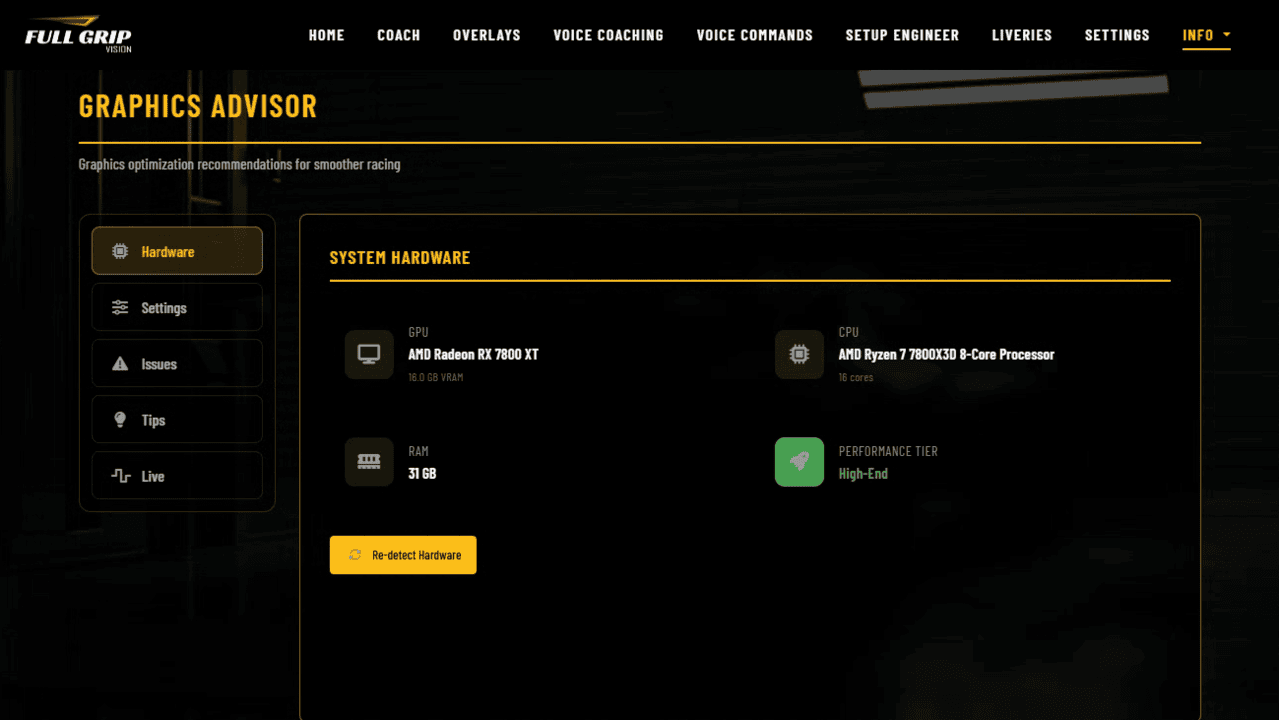
Hardware Tier Detection
Reads your GPU and CPU class, then tunes every recommendation to the hardware you actually run, not a generic machine.
ACC Graphics Analysis
Reads your real in game graphics settings instead of generic presets, so the advice matches how your game is configured.
Triple Monitor Aware
Understands a triple monitor setup and targets the settings that cost the most frames across all three screens first.
Estimated FPS Gains
Every suggested change comes with an estimate of the frames you can expect back, so you know what is worth doing.
Vision reads your hardware and ACC settings, then tells you exactly what to change for more frames.
Built for demanding setups, triple monitors included, with estimated FPS gains on every suggestion.
Fully Offline AI
Runs entirely on your PC with no internet, no accounts and nothing uploaded, so your data never leaves the machine.
Knows Your Session
Your telemetry across every coaching level is already in context, so answers are about your lap, not a generic reply.
Hands Free
Push to talk on a keyboard or wheel button and ask a real question out loud while you stay focused on driving.
Real Answers
Ask about strategy, setup or why you lost time, and get a real answer drawn straight from your own session data.
Press to talk, ask a real question, and get a real answer out loud, completely offline.
The AI runs locally and already knows your session, so the answer is about your lap, not a generic tip.
Mental State From Telemetry
Reads your inputs to sense your headspace, calm, flow, pressing, hesitant or tilt, from the way you are driving.
Adapts On The Fly
Speaks up when you need it and backs off when you do not, adjusting to how you are driving moment to moment.
Keeps You In The Zone
Gives you calming, steadying cues when the red mist starts to creep in, so one mistake does not become three.
Knows When To Talk
Fewer words when you are flowing and in the zone, a steadying line the moment it starts to slip away from you.
Vision reads more than your lap times, it reads your headspace.
It senses calm, flow, pressing, hesitation or tilt, and changes how it coaches you to match.
Threshold Drills
Dedicated drills to practice threshold braking and a clean release, stop after stop, until it becomes second nature.
Live Analysis
Every braking zone is scored and analysed as it happens, so you can see exactly where you are leaving time behind.
Progress Tracking
Watch your braking technique improve session after session, with the numbers to prove the gains are real over time.
Brake Consistency
Train yourself to hit the same brake point and pressure lap after lap, because consistency is where the time hides.
Dedicated braking drills that train the hardest skill in racing.
Threshold braking and release with live analysis, a score per stop, and progress tracked over time.
Finds Your Weaknesses
Pinpoints the recurring patterns and habits that quietly cost you time across your sessions, not just one off mistakes.
Focused Practice Drills
Turns your biggest weak spots into a short list of targeted drills, so practice time goes where it actually pays off.
Your Theoretical Best Lap
Stitches together your own best sectors into one theoretical optimal lap, showing the time that is already within reach.
Tracks Your Progress
Shows your improvement session after session in plain terms, so you see real progress and not just a wall of data.
Vision finds your real weaknesses, then builds you a plan to fix them.
Focused drills, your theoretical best lap, and progress tracked session after session.
36 OVERLAY TYPES
In-Game Overlays
Drag-and-drop positioning, adjustable opacity, and persistent layout saving.
Coaching & Feedback
Coaching messages, corner approach warnings, corner scores, and brake point markers.
Timing & Position
Live delta, sector comparison, timing tower, and race standings.
Telemetry & Inputs
Telemetry HUD, input trace, G-force meter, and compact data view.
Car Status & Strategy
Tire info, proximity radar, pit strategy, and weather forecast.
SEE IT IN ACTION
Screenshots
Your AI coach, overlays, setup engineer, and more.
Setups. The AI Setup Engineer writes a complete, ready to load setup from your telemetry.
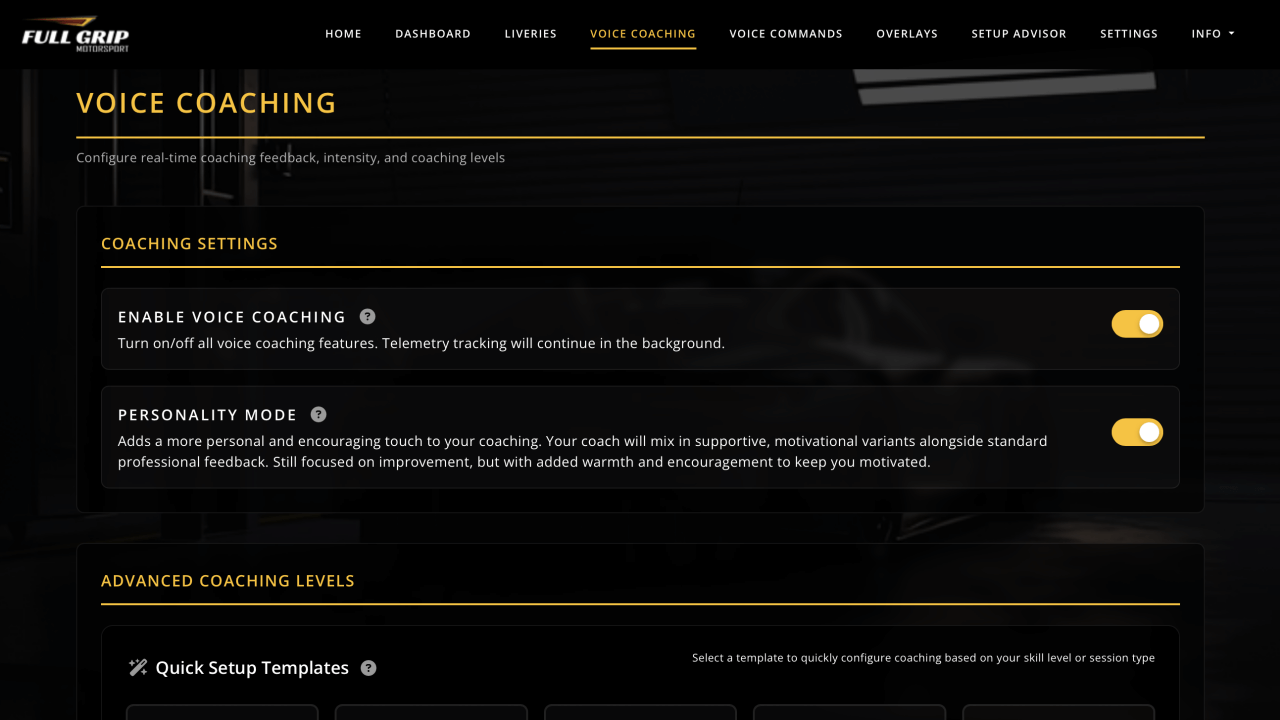
Coaching. Real-time voice coaching, corner by corner, while you drive.
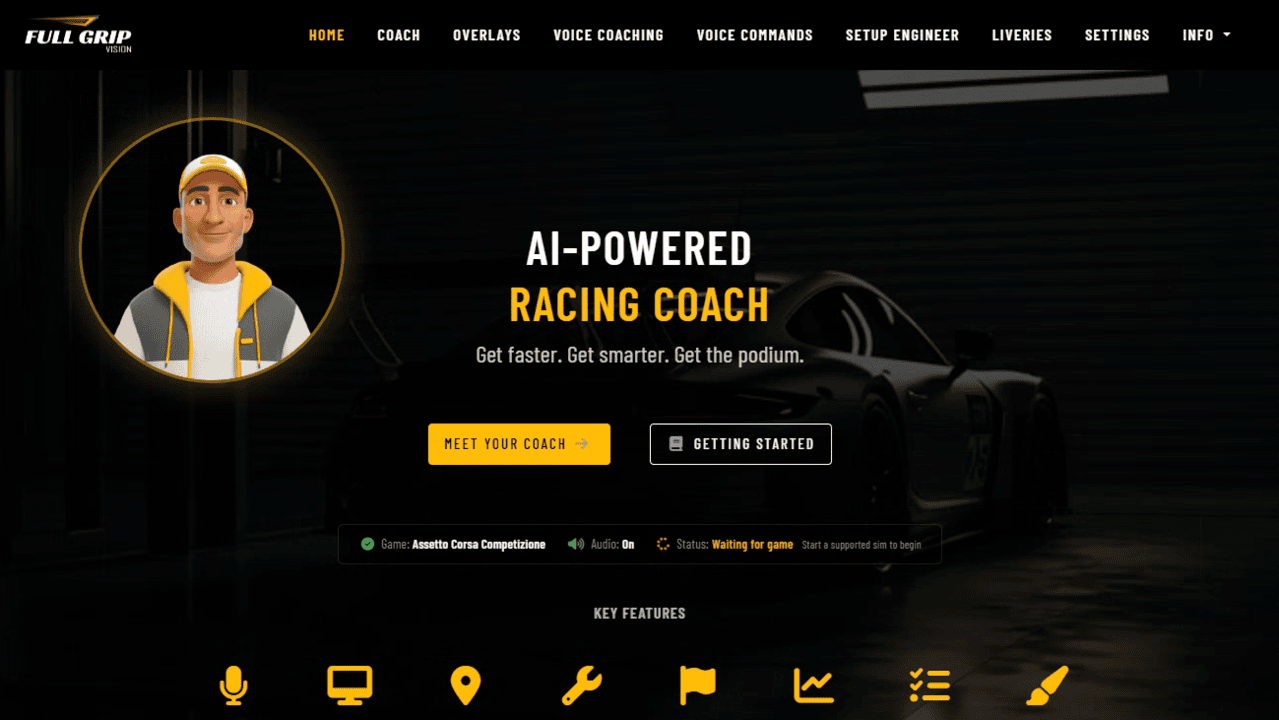
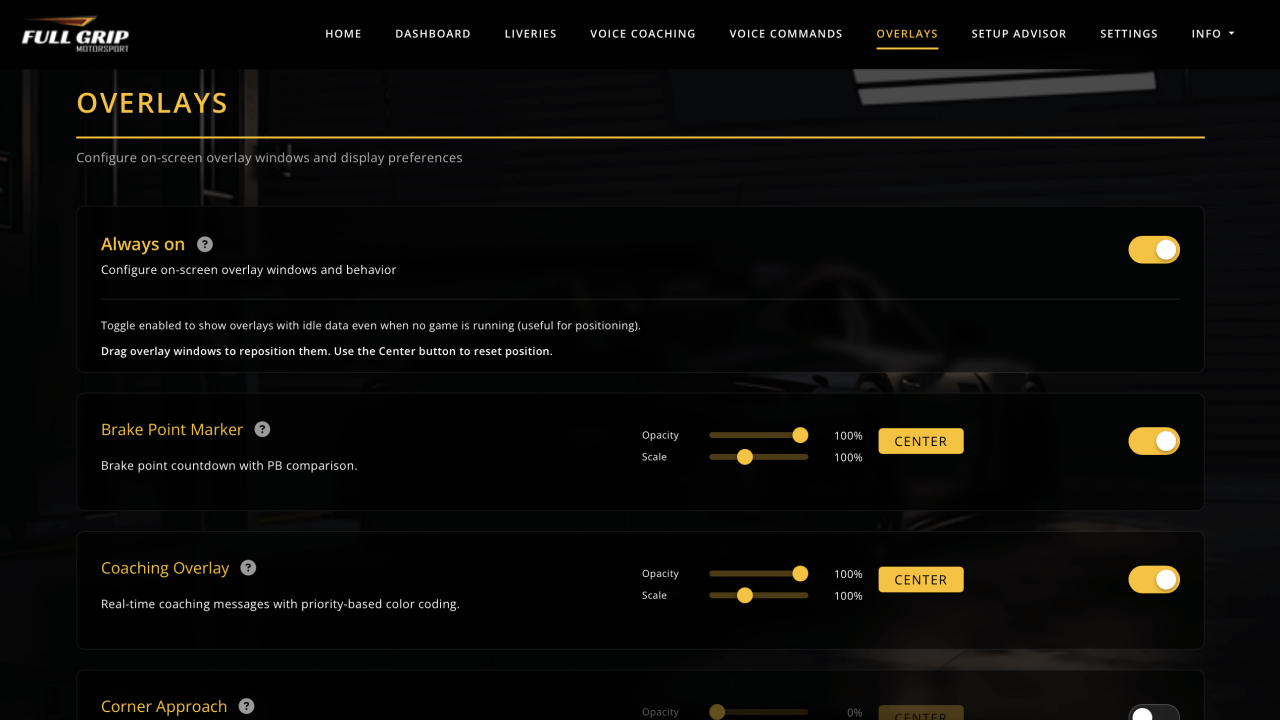
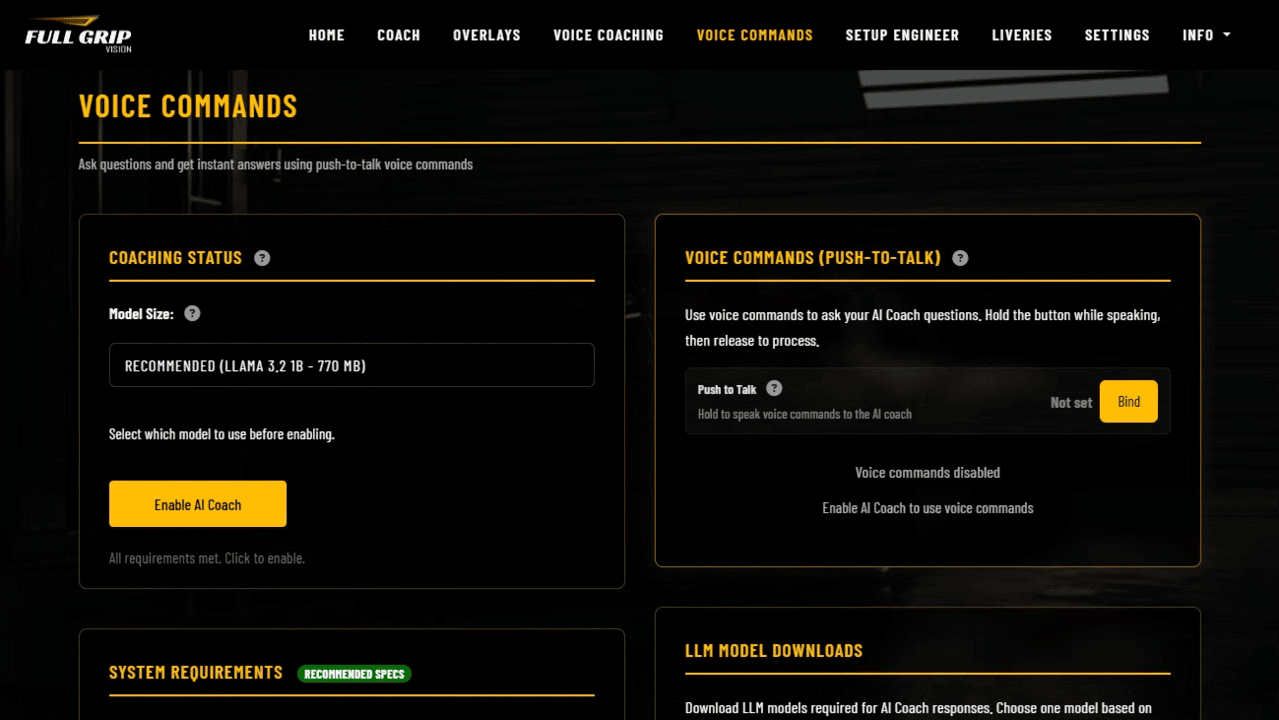
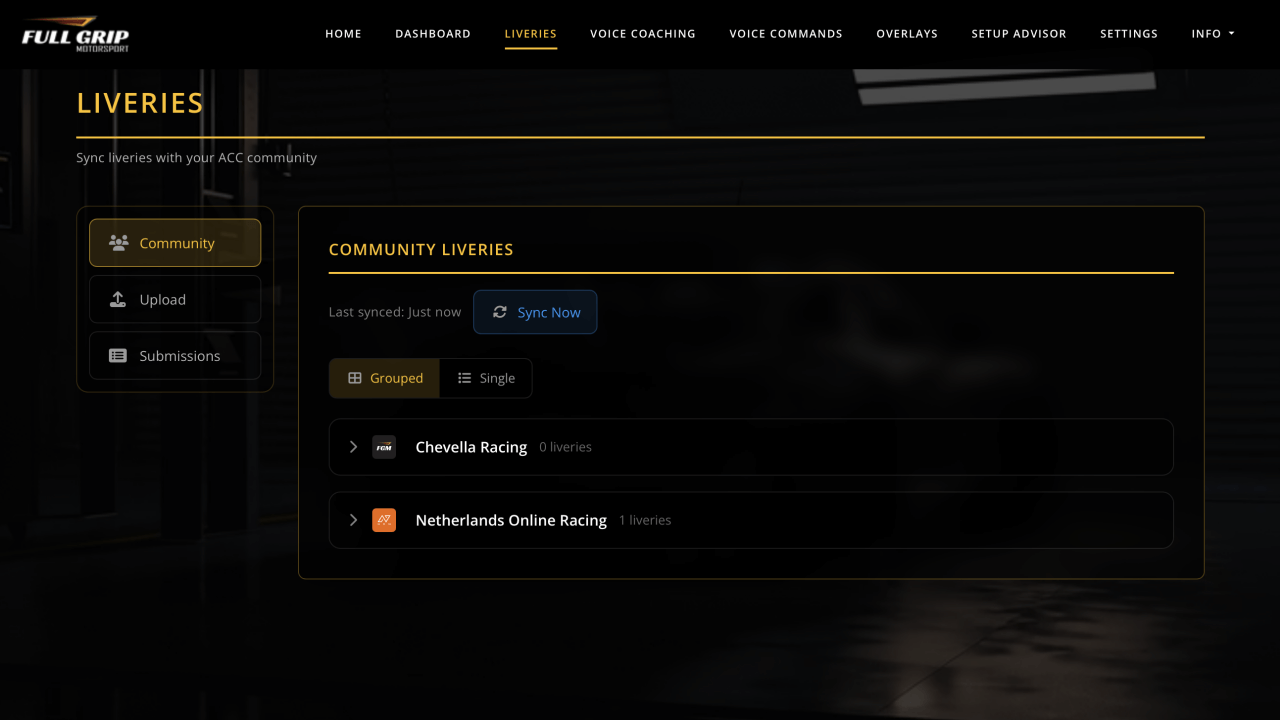
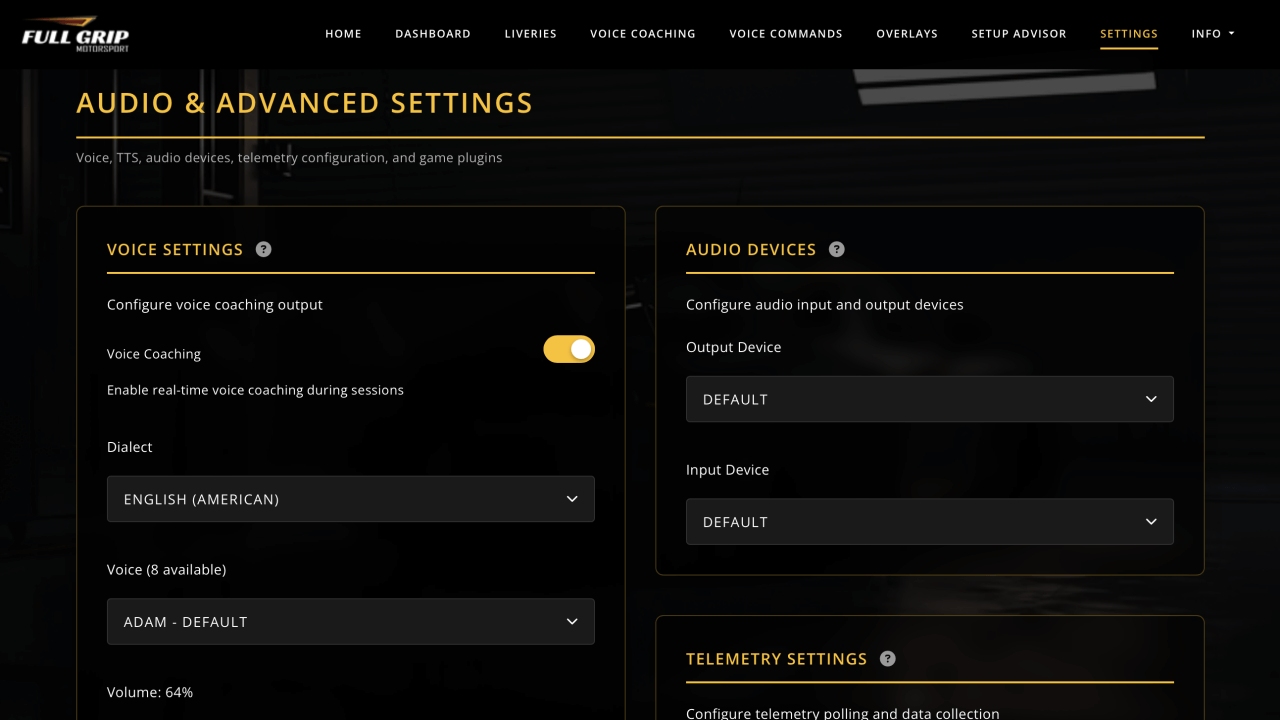
Home
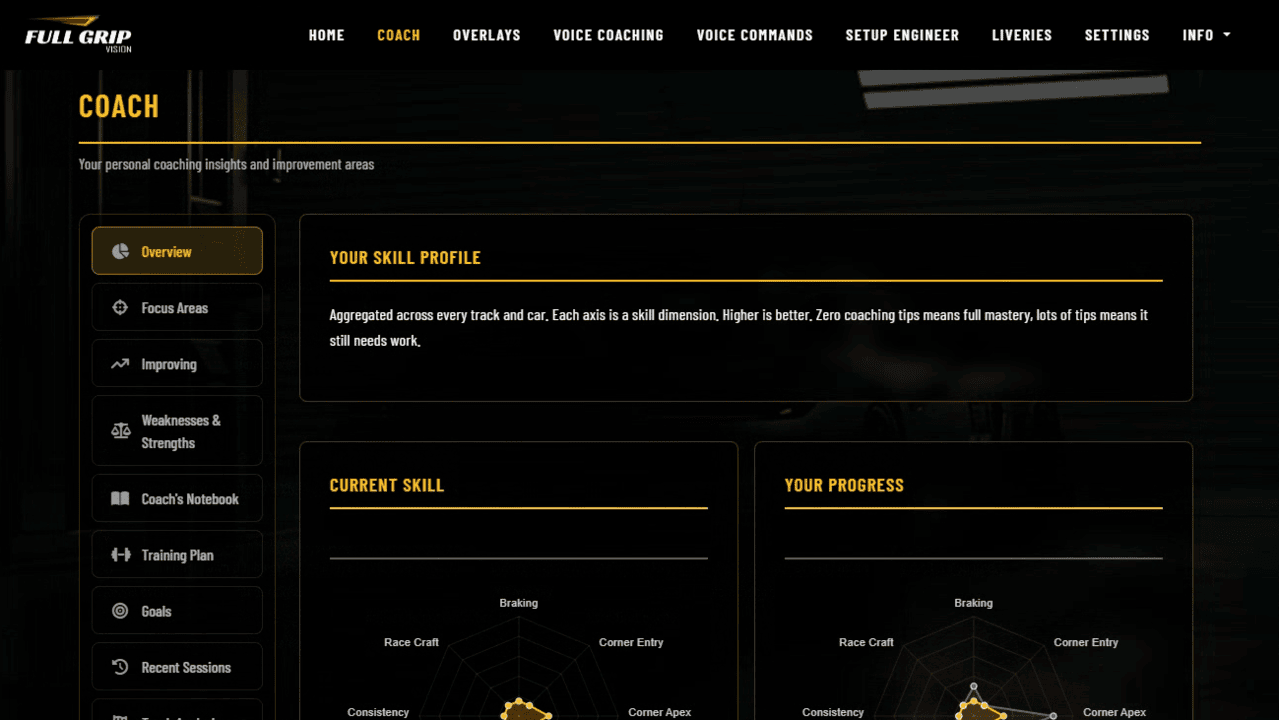
Coach
Overlays
Voice Coaching
Voice Commands
Setup Engineer
Livery Sync
Settings
Graphics Advisor
Real-Time Analysis
60Hz telemetry polling with under 150ms coaching latency. You hear feedback while you're still on track, not after.
Runs Locally
Everything runs on your PC. No cloud, no uploads, no internet required during sessions.
Lightweight
Under 5% CPU and ~150MB RAM. No frame rate impact on your sim.
Personalized
Compares against your own personal best, not some generic reference lap. Tracks your improvement over time.
Natural Voice
A real voice, not robotic beeps. The coach speaks naturally and says exactly what is happening on your lap. Your corner names, your numbers, your moment, generated live and spoken on the fly.
Coaching, Not Reporting
Tells you how to improve ("brake 5 meters later into T3"), not just what happened ("you lost 0.2s in sector 2").
HOW IT WORKS
How It Works
From telemetry data to voice coaching in milliseconds.
Reads Telemetry
60Hz data from your sim, speed, braking, throttle, G-forces, tire temps, and more.
Analyzes
62 coaching modules compare your driving to your personal best lap in real-time.
Generates
AI prioritizes what to tell you and when, avoiding information overload.
Speaks
Professional voice coaching in real-time, like having a coach in the car with you.
SUPPORTED GAMES
Supported Sim Racing Titles
Full Grip Vision supports 9 sim racing titles, with more being added.
RACE INTELLIGENCE
It Reads the Whole Race, Not Just Your Lap
Vision watches the cars around you and the track under you, so every callout fits the moment you are actually in.
Competitor Intelligence
It tracks the car ahead and behind, your gap, and where you are quicker, then calls the undercut, the overcut, and where to attack or defend.
Grip and Track Conditions
As the track rubbers in, cools, or turns wet, Vision reads the changing grip and adjusts what it asks of you instead of coaching a dry line onto a damp track.
Traffic Awareness
Stuck behind a slower car, Vision knows it. It will not scold you for a lost tenth that was never yours to keep, and picks the coaching back up once the road is clear.
Per Game Overlays
Every sim remembers its own overlay layout. Place and lock your widgets once per game and they come back exactly where you left them.
Hands Free Auto Start
Turn on auto start and Vision loads the coach and voice commands the moment it launches, so you can jump straight into the car and just drive.
Strategy and Pit Calls
Your engineer works the long game too, fuel and tyre compound, the pit window, and heads up calls for safety cars and blue flags before they cost you.
SPEAKS YOUR LANGUAGE
Coaching in Seven Languages
Every callout, spoken and on screen, in the language you think in. Choose your language and the AI voice speaks it naturally.
GET STARTED
Subscription Tiers
Pick the tier that matches your needs.
Free
Free
Free to download and try.
- In-Game Overlays
- Coaching Level 1
- Livery Sync
- Training Plans
- Advanced Analytics
- Setup Engineer
Supporter
€3.99/month
Unlocks Livery Sync and Level 2.
- In-Game Overlays
- Coaching Levels 1 & 2
- Livery Sync
- Training Plans
- Advanced Analytics
- Setup Engineer
Pro
€7.99/month
Unlocks all 6 coaching levels.
- In-Game Overlays
- All 6 Coaching Levels
- Livery Sync
- Training Plans
- Advanced Analytics
- Setup Engineer
Elite Best Value
€9.99/month
Unlocks the AI Setup Engineer.
- In-Game Overlays
- All 6 Coaching Levels
- Livery Sync
- Training Plans
- Advanced Analytics
- Setup Engineer
TEAM LIVERIES Supporter+
Livery Sync
Sync your custom liveries with the FGM community. Upload your designs, download team liveries, one-click install.
- Upload custom liveries
- Download team liveries
- Auto folder management
- Preview and metadata sync
- One-click install
SYSTEM REQUIREMENTS
System Requirements
Runs alongside your sim without any performance impact.
Minimum
OS
Windows 10 64-bit
CPU
Dual-core
RAM
4 GB
Storage
500 MB
Recommended
OS
Windows 11 64-bit
CPU
6+ core
RAM
8 GB+
Storage
4 GB (AI models)
SUBSCRIBER SETUP
Activate Full Grip Vision
If you have an active subscription (Supporter, Pro, or Elite), follow these steps to activate Full Grip Vision.
Find Your Vision Keys
Go to My Dashboard and open the Information tab. Your Vision Keys are in the Full Grip Vision section.
Download Full Grip Vision
Download and install the Full Grip Vision desktop app for Windows.
Link Your Account
Open Full Grip Vision, click your plan button in the bottom right corner, then Upgrade Now and open the Activate License tab. Enter both Vision Keys from your dashboard.
Start Racing!
Launch your sim and Full Grip Vision detects it automatically and starts coaching you.
F.A.Q
Frequently Asked Questions
Common questions about Full Grip Vision and subscription access.
SUPPORT
Support
Questions or issues? Reach out via email or Discord.
Email Support
Contact us at support@fullgripmotorsport.com for technical support and general inquiries.
Discord Community
Join our Discord server for live community support, tips from other drivers, and the latest announcements.